
Winadda Login – Access Your Winadda Account
Winadda Login with Mobile Number or Winadda ID
The Winadda Login page provides existing users with a simple way to access their account. You can log in using your registered mobile number or Winadda ID. Depending on the available login option, you can use your password or OTP to complete the login process.
Keep your Winadda account details private and never share your password or OTP with anyone.
How to Login to Winadda
Choose the login method that suits you: your registered mobile number or your Winadda ID.

Login with Mobile Number
To access your account using your registered mobile number:
- Open the Winadda Login page.
- Enter your registered mobile number.
- Choose the available Password or OTP login option.
- Enter your password or the OTP received on your mobile.
- Complete the verification and select Login.
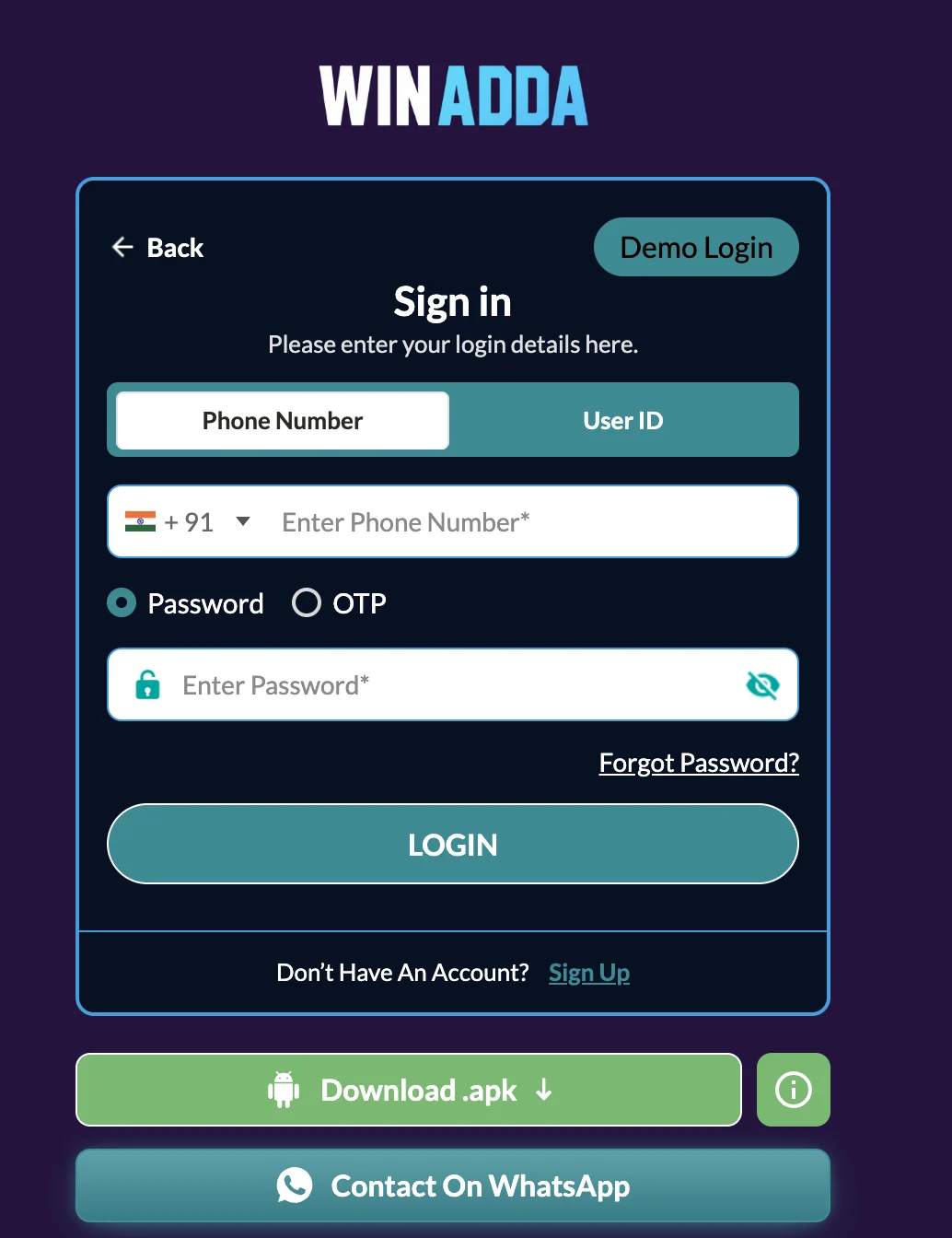
Login with Winadda ID
If you want to log in using your Winadda ID, follow these steps:
- Open the Winadda Login page.
- Enter your Winadda User ID.
- Enter your account password.
- Select Login to access your account.
Forgot Your Winadda Password?
If you have forgotten your password, you can use the password recovery option available on the login page.
- Select Forgot Password.
- Enter your registered mobile number.
- Request and enter the OTP.
- Complete the verification.
- Set a new password.
- Confirm the new password and continue to your account.
Never give your OTP or password to another person, even if they claim to provide account support.
Don’t Have a Winadda Account?
New users need to register before they can log in. Select Winadda Register and enter your mobile number to begin the registration process.
Winadda Registration Process
- Enter your mobile number.
- Select Get OTP.
- Enter the OTP received on your mobile.
- Set your password.
- Confirm your password.
- Enter a referral code if you have one.
- Complete registration and use your new account to log in.
Winadda Login Problems
If you cannot access your account, first check that your mobile number or Winadda ID and password have been entered correctly. If you are using OTP login, make sure you enter the latest OTP received on your registered mobile number.
For a forgotten password, use the Forgot Password option to verify your mobile number with OTP and create a new password.
If the problem continues, use the official support option available on the Winadda website. You can also read our guide on Winadda login not working or Winadda OTP not received.
Winadda Login on Mobile
Winadda can be accessed from a compatible mobile device using the website or the available Winadda APK. Existing users can use the same account credentials to access their account through the supported login method.
Download Winadda APKWinadda Login Security
Keep your Winadda ID, mobile number, password, and OTP secure. Avoid entering account information on unfamiliar websites or sharing verification codes with anyone.
Always check that you are using the correct Winadda website before entering your account details.
Frequently Asked Questions
How can I log in to Winadda?
You can log in using your registered mobile number or Winadda ID. Mobile-number login can use the available password or OTP option, while Winadda ID login requires your User ID and password.
Can I login to Winadda with my mobile number?
Yes. Enter your registered mobile number and use the available password or OTP login method.
Can I login to Winadda with my Winadda ID?
Yes. Enter your Winadda User ID and password on the login page to access your account.
What should I do if I forget my Winadda password?
Select Forgot Password, enter your registered mobile number, verify it using OTP, and set and confirm a new password.
Do I need a new account to use Winadda APK?
No. Existing Winadda users can use their current account and login details when accessing the supported Winadda APK.
How do I create a Winadda account?
Select Winadda Register, enter your mobile number, verify the OTP, create and confirm your password, and enter a referral code if applicable.
Why is my Winadda OTP not working?
Make sure you are using the latest OTP sent to your registered mobile number. If the issue continues, use the support option available through the official Winadda website.